What is Open A5 Brochure Mockup PSD Download For?
You have spent a significant amount of time designing your document in a program like Illustrator or InDesign, and you have created a layout that is clean, chosen colors that are eye-catching, and have flowing content. However, when you finish and export a PDF, you don’t want to present it like that. It just feels like you don’t want to present it like that. That is where a free open PSD A5 brochure mock-up comes in.

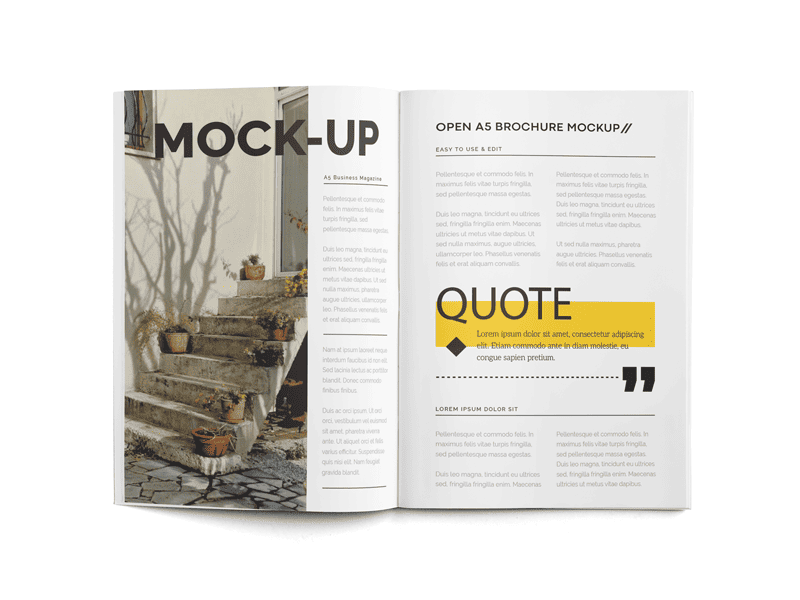
An open A5 brochure mockup PSD download is a photoshop file that allows you to display your design or artwork in a bi-fold, or two-page spread. The file is made to appear realistic, with shadows, paper texture, subtle creases, and shadows that are made to simulate real printed material. The file has a smart object (specifically a layer type in Photoshop that allows you to do this) so it allows you to drag and drop virtually all of your artwork and view a very realistic representation of your artwork.
It gives you the ability to convert your PDF design work into a high-quality image for your portfolio without the need to invest in a high-quality camera or purchase a photography portfolio.

Who can use a free open A5 brochure mock-up?
Anyone who has a need to present brochure or leaflet designs with a high level of mock-up designed portfolios including all of the following individuals will benefit significantly from this mock-up template.
. Freelance graphic designers – Help your clients envision their project prior to actually going to the printing.
. Small business, retail, and sales individuals – You can display a designed menu, designed catalog, designed event program, designed travel brochure without needing to pay for a photography session.
. Design beginners or students – Even if you are at the very beginning of your career, you can create a portfolio that is very good, even if you are just starting.
Agencies & in-house teams — create uniform and top-tier presentations for pitches or for approvals internally.
Print shops — assist customers in visualizing their finished print product.
Should you design anything that folds into A5 size (148 × 210 mm when closed), this mockup streamlines your process and enhances the perceived value of your design.

How to Use Free A5 Brochure Mockups in Photoshop (Step-by-Step):
Even if you’re not familiar with Photoshop, you won’t have too many challenges. The majority of free mockups are designed for beginner users.
Step 1: Download and Open the File
Download the free open A5 brochure mockup PSD, unzip it, and open the main .PSD file in Photoshop (CS4 or later, it does not matter).
Step 2: Locate the Smart Object Layer
In the right side Layers panel, look for a layer named, for example, “YOUR DESIGN”, “Brochure Front”, “Inner Spread”, or simply “Smart Object”. It’s usually highlighted, or grouped, for you.
Step 3: Edit the Smart Object
To edit it, double-click, then a separate window will appear with your placeholder design.
Delete the placeholder design, or at the very least, just hide it.
Place or paste your brochure design here (it must be of the exact size and resolution — most mockups have a guide or help file).
Close the window and save the smart object (File > Save).
This will update the main mockup with your design.

Step 4: Finishing Touches on Your Scene (Optional but Highly Suggested)
If your mockup has layers for it, edit shadows and highlights.
If the mockup has lots of different things (like pens, coffee cups, letterheads), you can turn layers off and edit the extra elements layers off.
If you feel that adjusting the brightness/contrast is necessary, feel free to do so to add more realism.
Step 5: Final Image is Ready to be Exported
You can finish and download the mockup image to your device using the Export tool in the mockup and choosing a JPG/PNG in very high quality. You can now present your mockup image to your clients (via email), on your web portfolio or on Behance.